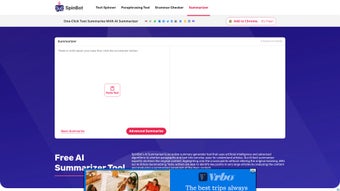

Download Spinbot Summarizer – AI Text Summarizer, Free Online Tool
Overview
Spinbot Summarizer is a cutting‑edge, AI‑powered online tool built to transform long‑form text into clear, concise summaries with just a single click. In today’s fast‑paced digital world, professionals, students, and content creators constantly juggle massive amounts of information—from research papers and news articles to lengthy reports and e‑books. Manually extracting the core ideas can be time‑consuming and prone to human error.
Spinbot Summarizer eliminates that friction by leveraging advanced natural language processing (NLP) algorithms and deep‑learning models that understand context, sentence hierarchy, and key terminology. The result is a short, accurate digest that retains the essential meaning of the original document while discarding redundant or filler content. The platform is entirely web‑based, which means there’s no need for a bulky installation or a subscription fee.
Users simply paste or upload their text, click “Summarize,” and receive a polished summary within seconds. The service also incorporates plagiarism‑avoidance mechanisms that rephrase the output when necessary, ensuring the final product is both original and ready for publication. Whether you need to skim through an academic journal, prepare a briefing for a meeting, or quickly grasp the highlights of a lengthy blog post, Spinbot Summarizer delivers a reliable, efficient solution that saves time and improves productivity.
Its free‑to‑use model, combined with robust AI capabilities, makes it an attractive choice for anyone seeking a hassle‑free summarization experience.
Key Features, Benefits, and Considerations
Spinbot Summarizer stands out because it blends sophisticated AI technology with a user‑friendly interface. Below is a comprehensive look at the capabilities that make this tool valuable, followed by an honest assessment of its strengths and areas for improvement.
- One‑Click Summary Generation: Paste any block of text (up to 10,000 characters) and receive a concise summary instantly.
- AI‑Driven Understanding: Utilizes deep‑learning NLP models that recognize sentence importance, topic relevance, and semantic relationships.
- Customizable Length: Choose summary lengths—short (≈20% of original), medium (≈35%), or detailed (≈50%)—to fit your specific needs.
- Multi‑Language Support: Works with English, Spanish, French, German, and several other languages, expanding its global usability.
- Plagiarism‑Safe Output: Integrated rephrasing engine reduces duplication risk, making the summary safe for academic and commercial use.
- Free Access: No registration or subscription required for basic summarization; premium options available for higher limits.
- Secure Processing: All text is encrypted during transmission, and the platform adheres to GDPR standards for data privacy.
- Browser Compatibility: Runs smoothly on Chrome, Firefox, Safari, Edge, and mobile browsers without additional plugins.
- Export Options: Summaries can be copied to clipboard, downloaded as .txt files, or shared directly via email.
- Continuous Updates: The AI model is regularly retrained on fresh datasets, ensuring improved accuracy over time.
Pros
- Instant, one‑click summarization saves valuable time.
- Free tier is generous enough for casual users and students.
- AI engine delivers coherent, context‑aware summaries.
- No software download—accessible from any internet‑connected device.
- Strong emphasis on privacy and data security.
- Customizable summary length provides flexibility.
Cons
- Maximum character limit may require splitting very large documents.
- Free version includes occasional ads that can be distracting.
- Advanced features (e.g., batch processing) are locked behind a paid plan.
- Accuracy can vary with highly technical jargon or niche subjects.
- No offline desktop app for users who prefer local processing.
How to Get Started: Installation, Usage, and Compatibility
Because Spinbot Summarizer is a cloud‑based service, there is no traditional installation process. Users simply need a modern web browser and an internet connection. Below are step‑by‑step instructions to help you generate your first summary, followed by a brief overview of the platforms that support the tool.
Step‑by‑Step Guide
- Visit the Website: Navigate to spinbotsummarizer.com using any up‑to‑date browser (Chrome, Firefox, Safari, Edge).
- Enter Your Text: Copy the content you wish to condense and paste it into the large text box on the homepage. You can also upload a .txt or .docx file via the “Upload” button.
- Select Summary Length: Choose between Short, Medium, or Detailed from the dropdown menu, depending on how much detail you need.
- Click “Summarize”: The AI begins processing. In most cases, the summary appears within 2‑5 seconds.
- Review & Refine: Read the generated summary. If needed, adjust the length or re‑run the process for a different perspective.
- Export or Share: Use the “Copy,” “Download,” or “Email” buttons to save or distribute the summary.
System Requirements & Compatibility
Spinbot Summarizer works on any device that can run a contemporary web browser. This includes:
- Desktop operating systems: Windows 10/11, macOS 10.14+, Linux distributions with a modern browser.
- Mobile operating systems: Android 8.0+ and iOS 12+ (Safari, Chrome, or Firefox).
- All major browsers: Google Chrome, Mozilla Firefox, Microsoft Edge, Apple Safari, and Opera.
Because the processing occurs on Spinbot’s servers, there are no heavy CPU or memory requirements on the client side. A stable internet connection (minimum 1 Mbps) is recommended for optimal performance, especially when summarizing near the character limit.
Frequently Asked Questions
Is Spinbot Summarizer really free?
Yes, the basic version is completely free and allows up to 10,000 characters per summary. Premium plans are optional for users who need higher limits, batch processing, or an ad‑free experience.
Can I use Spinbot Summarizer on mobile devices?
Absolutely. The web interface is fully responsive, so you can generate summaries on Android phones, iPads, or any device with a modern browser.
How does the tool avoid plagiarism?
Spinbot Summarizer includes a rephrasing layer that rewrites sentences while preserving meaning. This reduces the chance of exact matches with the source text, making the output safe for academic and commercial use.
What languages are supported?
The platform currently supports English, Spanish, French, German, Italian, Portuguese, Dutch, Russian, Chinese, and Japanese. Additional languages are being added as the AI model expands.
Is my data safe when I paste text into Spinbot Summarizer?
Yes. All data is transmitted over HTTPS, encrypted in transit, and processed on secure servers that comply with GDPR and other privacy standards. The service does not store your content permanently.
Can I summarize PDFs or other file types?
Direct PDF summarization isn’t available yet, but you can copy the text from a PDF and paste it into the text box. Future updates aim to include native PDF and DOCX handling.
Conclusion – Why Spinbot Summarizer Is Worth Your Time
In a landscape flooded with generic text‑processing tools, Spinbot Summarizer distinguishes itself through its AI‑driven accuracy, zero‑cost entry point, and seamless web experience. The ability to generate concise, plagiarism‑safe summaries in seconds empowers students to study more efficiently, professionals to prepare reports faster, and writers to brainstorm ideas without drowning in raw data. While the free tier’s character limit and occasional ads may be a minor inconvenience for power users, the overall value proposition—especially for occasional or medium‑frequency summarization—remains compelling.
If you regularly encounter lengthy articles, research papers, or any content that needs quick distillation, give Spinbot Summarizer a try today. Simply click the link below, paste your text, and watch the AI do the heavy lifting. For those who need higher limits or an ad‑free environment, consider the affordable premium plan that unlocks extended capabilities.
Spinbot Summarizer delivers fast, accurate summaries that are especially useful for students and professionals on a budget. Its free tier is generous, and the AI consistently captures the core ideas without unnecessary fluff. The main drawbacks are the modest character limit and occasional ads, but these are outweighed by the overall convenience and quality. I recommend it as a go‑to summarization tool for anyone looking to boost productivity.



.png)



